
Socho, aap college mein ho. Lecture chal raha hai aur professor important points bata rahe hain. Aap apna phone ya laptop nikalte ho, notes lena shuru karte ho — aur phir? Wi-Fi chala jaata hai, app hang ho jaata hai, ya phir aapko yaad aata hai ki aapne kal jo notes likhe the, woh sync hi nahi hue. Frustrating, hai na?
Yahi real-life problem hai har Indian college student ki. Aur yeh dikkat tab aur bhi badi ho jaati hai jab:
- Aapke paas ek budget laptop hai (under ₹40,000) jisme sirf 4GB RAM hai.
- Aap hostel mein rehte ho jahan Wi-Fi “available” toh hai par “reliable” nahi.
- Aap college ke saath UPSC, JEE, ya NEET jaise tough competitive exams ki preparation kar rahe ho.
- Aapko English ke saath-saath Hindi, Marathi, ya Kannada jaise regional languages mein notes lene hain.
But wait — har student ki requirements alag hoti hain. Kisi ko advanced organization chahiye, kisi ko handwritten notes, toh kisi ko cutting-edge AI features.
Isiliye, yeh guide aapko 7 best note-taking apps ke baare mein batayegi, unke actual Indian pricing ke saath. Hum sirf features ki baat nahi karenge; yeh guide pure Indian student experience, budget devices, aur hostel Wi-Fi ki realities ko dhayan mein rakh kar banayi gayi hai taaki aap apne liye perfect app chun sakein.
Chalo, shuru karte hain aur dekhte hain hamari best note-taking apps ki complete list.
What Makes a Great Note-Taking App for Indian Students?
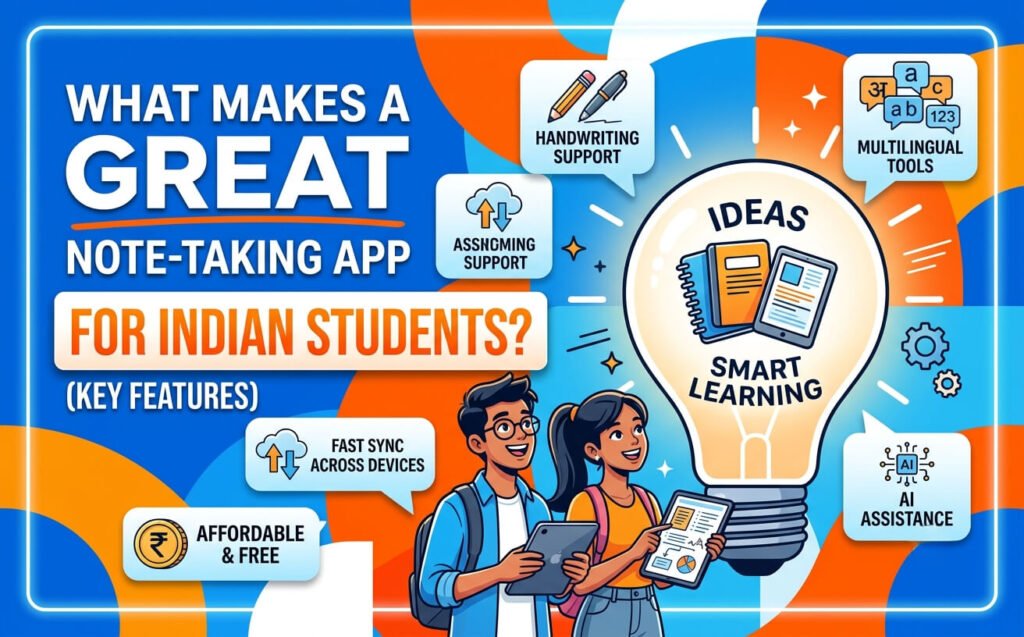
Koi bhi app choose karne se pehle, aapko yeh samajhna hoga ki Indian student ke liye kya matter karta hai. International reviews mein aapko yeh baatein nahi milengi.
1. Budget Device Performance
“Does it work on a ₹40,000 laptop with 4GB RAM?”
Yeh sabse important question hai. Bahut saari apps heavy hain — unhe chlane ke liye high-end laptop chahiye. But Indian students ke paas mostly budget laptops hain. OneNote is maamle mein sabse aage hai — yeh cheapest Windows laptop par bhi chal jaata hai.
2. Offline Reliability & Hostel Wi-Fi
Indian hostels mein Wi-Fi ka haal sabko pata hai. Kabhi aata hai, kabhi nahi. Toh app offline kaam karna chahiye aur sync automatically hona chahiye jab Wi-Fi wapas aaye.
OneNote aur Obsidian is maamle mein best hain. Notion cloud-first hai — agar internet nahi hai toh mushkil ho jaati hai.
3. Indian Pricing & Free Tiers
Dollars mein pricing dekh ke mat bhoolna. INR mein actual cost dekhna.
- OneNote — Bilkul free
- Notion — Free personal plan (95% students ke liye kaafi hai)
- Obsidian — Personal use ke liye hamesha free
- Zoho Notebook — Free for students (AI features bhi free)
4. Handwriting & Stylus Support
Agar aap UPSC, JEE, ya NEET ki preparation kar rahe ho, toh diagrams, equations, aur flowcharts likhne hote hain. Iske liye stylus support hona chahiye.
OneNote aur GoodNotes is maamle mein best hain.
5. Long-Term Data Portability
“Will my notes survive if the app shuts down in 5 years?”
Yeh ek real concern hai. Obsidian is maamle mein safest hai — yeh plain .md files store karta hai aapke computer mein. Koi bhi app band ho jaaye, aapki notes safe hain.
The 7 Best Digital Note-Taking Apps for Indian College Students
Ab aate hain main list par. Har app ka detailed review diya gaya hai — features, pricing, pros, cons, aur kis student ke liye best hai.
1. Microsoft OneNote — The Free Classroom Workhorse
OneNote ko agar ek word mein describe karna hai toh woh hai “default” . Har Indian student ke liye yeh sabse safe aur reliable option hai.
Key Features:
- Bilkul Free — Koi hidden charges nahi, koi paid features nahi
- Stylus & Handwriting — Equations, diagrams, flowcharts — sab first-class support
- Full Offline Mode — Internet nahi? Koi baat nahi. Notes likhte raho, sync baad mein ho jaayega
- Runs on Any Device — ₹40,000 wale laptop se lekar high-end iPad tak, sab par chalta hai
- Notebook → Section → Page structure — Subject → Chapter → Topic, exactly jaise physical notebook mein hota hai
- Microsoft 365 Integration — Agar college ne Microsoft 365 diya hai, toh aur bhi powerful ho jaata hai
Weaknesses:
- Note Silo — Sirf notes store karta hai, textbooks, PDFs, ya lecture recordings ko integrate nahi kar paata
- Sync Conflicts — Kabhi kabhi notes duplicate ho jaate hain ya lost ho jaate hain
- Learning Loop Missing — Notes ko flashcards, quizzes, ya cited answers mein nahi badal sakte
- Search — Kabhi kabhi search theek se kaam nahi karti
Indian Pricing:
| Plan | Price |
|---|---|
| OneNote (standalone) | Free |
| Microsoft 365 Personal | ₹4,999/year (includes 1TB OneDrive) |
Best For:
- Students who take handwritten notes with stylus
- Students with budget laptops
- Students in hostels with poor Wi-Fi
- UPSC/JEE/NEET aspirants
Real Student Says: “OneNote runs on the cheapest Windows laptop.”
2. Notion — The All-in-One Workspace
Notion “one app to rule them all” philosophy par based hai. Notes, databases, tasks, project boards — sab ek jagah.
Key Features:
- Block-based Workspace — Kuch bhi banao: notes, databases, calendars, wikis
- Databases — Class trackers, reading lists, project management — sab possible
- Free Personal Plan — Unlimited blocks, unlimited file uploads (5MB each)
- Beautiful Interface — Clean, modern, satisfying to use
- Collaboration — Group projects ke liye best
Weaknesses:
- Cloud-First — Internet ke bina mushkil. Hostel Wi-Fi par slow ho jaata hai
- Over-Formatting — Students formatting mein itna time laga dete hain ki learning reh jaati hai
- Learning Curve — Shuru mein thoda complex lagta hai
- AI Features Paid — Notion AI ke liye extra pay karna padta hai (~₹830/month)
Indian Pricing:
| Plan | Price |
|---|---|
| Personal (Free) | Free |
| Plus | ~$10/month |
| Notion AI Add-on | ~₹830/month |
Best For:
- Students who need organization + structure
- Students working on group projects
- Students who want one workspace for everything
- Students with reliable internet
Real Student Says: “Notion is the go-to if your problem is structure and organization: databases, linked pages, project boards, and a clean place to run your whole student life.”
3. Obsidian — The Future-Proof Knowledge Base
Obsidian alag hai. Yeh local-first hai — aapki notes aapke computer mein plain Markdown files ke roop mein store hoti hain. Koi cloud dependency nahi.
Key Features:
- Local-First — Notes aapke computer mein store hote hain. Aapki notes, aapka control
- Markdown Files — Plain text .md files. Future-proof. Koi bhi app khol sakta hai
- Backlinks & Graph View — Interdisciplinary thinking ke liye powerful
- Plugin Ecosystem — Hundreds of plugins — calendar, kanban, excalidraw, aur bahut kuch
- Free Forever — Personal use ke liye bilkul free
Weaknesses:
- Learning Curve — Markdown, backlinks, plugins — sab seekhna padta hai
- Sync Costs Extra — Official sync ~₹830/month (but you can use Git for free)
- No Native Handwriting — Stylus support nahi hai
- No Real-Time Collaboration — Team projects ke liye ideal nahi
Indian Pricing:
| Plan | Price |
|---|---|
| Personal (Free) | Free |
| Obsidian Sync | ~₹830/month |
| Obsidian Publish | ~₹1,650/month |
Best For:
- Coding/Engineering students
- Research-heavy students
- Students who value data ownership
- Interdisciplinary thinkers
Real Student Says: “Obsidian sits at the PKM boundary with local Markdown files.”
4. Zoho Notebook — The Indian Alternative with Free AI
Zoho Notebook ko special kya banata hai? Yeh Chennai, India mein bana hai. Aur November 2025 mein isme powerful AI features aaye hain — jo students ke liye bilkul free hain.
Key Features (2026):
- Intelligent Q&A Assistant — Apne notes se sawaal poocho, answers paao
- Meeting Notes — Spoken discussions ko text mein convert kare, speaker names ke saath
- Mind Map Generation — Lambi documents ko easy-to-understand mind maps mein badal de
- Smart Note Creation — AI se to-do lists, tables, templates instantly banao
- Writing Enhancement — Grammar, tone, clarity — sab improve kare
- Multilingual Voice Search & Translation — 80 languages support, including 8 Indian languages: Hindi, Bengali, Gujarati, Kannada, Marathi, Punjabi, Oriya, Sanskrit
- Privacy-First — Zoho ka foundation hi privacy hai
Weaknesses:
- International competitors jitna established nahi
- Smaller user community
- Limited backlinking features
Indian Pricing:
| Plan | Price |
|---|---|
| Notebook Essential | Free |
| Notebook for Business | ₹333.25/user/month (annual billing) |
| Notebook AI (Students) | Free (with .edu email) |
Best For:
- Students who want free AI features
- Students who prefer Indian apps
- Students needing multilingual support
- Privacy-conscious students
Real Student Says: “I liked Zoho Notebook — Indian, cheap and pretty good.”
5. Google Keep — Quick Capture & Reminders
Google Keep minimal hai. Quick notes, reminders, checklists — bas.
Key Features:
- Minimalist — Simple, clean, fast
- Google Integration — Gmail, Calendar, Drive — sab ke saath connected
- Runs in Browser — Kuch install nahi karna padta
- Syncs with Android — “which most Indian students already have”
- Voice Notes — Bolte huo notes banao
Weaknesses:
- Limited Organization — Labels ke alawa kuch nahi
- No Advanced Formatting
- No Handwriting Support
- Not for Long-Form Notes
Best For:
- Quick notes and reminders
- Shopping lists, to-do lists
- On-the-go capture
6. GoodNotes — iPad Handwriting Specialist
Agar aapke paas iPad hai aur aap handwriting par focus karte ho, toh GoodNotes best hai.
Key Features:
- Paper-like Ink Experience
- Searchable Handwriting
- PDF Annotation
- Audio Recording with notes
Weaknesses:
- Apple Exclusive — Sirf iPad/Mac par kaam karta hai
- Paid — One-time purchase (~$9.99)
- No Android/Windows
Best For:
- iPad users
- Students who prefer handwriting
- PDF annotation
7. Apple Notes — The Native Apple Option
Agar aap pure Apple ecosystem mein ho, toh Apple Notes kafi powerful hai.
Key Features:
- Free with Apple devices
- iCloud Sync
- Apple Pencil Support
- Scan Documents
- Collaboration
Best For:
- Apple ecosystem users
- Students who want a simple, free option
Comparison Table — Apps at a Glance
| App | Best For | Platforms | Stylus | Offline | Free Tier | Indian Pricing | AI Features |
|---|---|---|---|---|---|---|---|
| OneNote | Freeform + Stylus | All | ✅ | ✅ | Full | Free / M365 ₹4,999/yr | ❌ |
| Notion | Organization | All | ❌ | ⚠️ | Generous | Free / AI ₹830/mo | ✅ (paid) |
| Obsidian | Research + PKM | All | ❌ | ✅ | Full | Free / Sync ₹830/mo | ❌ (plugins) |
| Zoho Notebook | Indian + AI | All | ✅ | ⚠️ | Full | Free | ✅ (free for students) |
| Google Keep | Quick Notes | All | ❌ | ⚠️ | Full | Free | ❌ |
| GoodNotes | Handwriting | Apple | ✅ | ✅ | Limited | $9.99 one-time | ❌ |
| Apple Notes | Apple Ecosystem | Apple | ✅ | ✅ | Full | Free | ✅ |
Indian Pricing Breakdown — What Will You Actually Pay?
Free Tiers Comparison
Paid Upgrades
Feature Deep Dive — What Each App Does Best
Handwriting & Stylus Support
- OneNote — Best for equations, diagrams, flowcharts. Runs on any Windows laptop with stylus support.
- GoodNotes — Best paper-like experience. But only on iPad.
- Apple Notes — Good for basic handwriting on iPad.
- Zoho Notebook — Good handwriting support, improving with each update.
UPSC Aspirant Tip: “OneNote for stylus + free + offline”
Collaboration & Group Projects
- Notion — Best for team wikis, shared databases, real-time collaboration
- OneNote — Good for shared notebooks, but less real-time
- Google Keep — Basic collaboration for quick notes
AI & Smart Features (2026)
Zoho Notebook ne November 2025 mein major AI update launch kiya:
- Intelligent Q&A Assistant — Apne notes se answers paao
- Meeting Transcription — Speaker names ke saath
- Mind Map Generation
- Multilingual Support — 8 Indian languages
Notion AI bhi hai, but paid hai (~₹830/month).
Offline Mode & Sync Reliability
- OneNote — Full offline, auto-sync when online
- Obsidian — Full offline (local files)
- Notion — Limited offline
- Zoho Notebook — Limited offline
Hostel Student Tip: Agar aapke hostel mein Wi-Fi reliable nahi hai, toh OneNote ya Obsidian choose karo.
Data Portability & Future-Proofing
- Obsidian — Safest — plain .md files
- OneNote — Can export, but format is proprietary
- Notion — Can export to Markdown/HTML
- Zoho Notebook — Export options available
Which App Should You Choose? — Decision Flowchart
Step 1: Do you use a stylus for handwriting?
- ✅ Yes → OneNote (budget) or GoodNotes (iPad)
- ❌ No → Go to Step 2
Step 2: Do you need databases and project management?
- ✅ Yes → Notion
- ❌ No → Go to Step 3
Step 3: Is data ownership important to you?
- ✅ Yes → Obsidian
- ❌ No → Go to Step 4
Step 4: Do you want free AI features?
- ✅ Yes → Zoho Notebook
- ❌ No → Go to Step 5
Step 5: Do you just need quick notes?
- ✅ Yes → Google Keep
- ❌ No → OneNote (default choice)
Expert Tips — How to Get the Most Out of Your Note-Taking App
Tip 1: Start Simple, Then Expand
Bahut saare students ek hi din mein saari features use karna chahate hain. Don’t.
Expert Says: “Pick based on your workflow.”
Shuru mein sirf basic note-taking karo. Dheere-dheere advanced features seekho.
Tip 2: Use Templates for Consistency
Har subject ke liye same template use karo. Isse notes organized rahenge aur revision easy ho jaayegi.
Example Templates:
- Lecture Notes template
- Project Tracker template
- Reading List template
Tip 3: Set Up a Sync Strategy
Notes lose karna worst feeling hai.
- OneNote — OneDrive par auto-sync
- Obsidian — Git use karo ya free cloud-folder sync
- Notion — Cloud par automatically save
Tip 4: Regularly Review and Clean Up
Har semester ke end mein old notes review karo. Kuch delete karo, kuch archive karo. Organization maintain rakho.
Tip 5: For Competitive Exams — Hybrid Approach
Expert Says: “Hybrid works best for most aspirants: analog for static subjects (Polity, History, Ethics), digital for current affairs.”
Common Mistakes to Avoid
Mistake 1: Choosing the Wrong App for Your Use Case
Notion ko handwriting ke liye use karna, ya OneNote ko knowledge management ke liye — galat hai.
Solution: Pehle apni need samjho, phir app choose karo.
Mistake 2: Overcomplicating the System
“Most aspirants make notes that are either too long (second textbook) or too cryptic.”
Solution: Simple rakho. Notes revisable hone chahiye, beautiful nahi.
Mistake 3: Not Considering Offline Needs
Cloud-first app choose kar li, aur hostel mein Wi-Fi nahi hai.
Solution: Hostel Wi-Fi ka haal dekh ke app choose karo.
Mistake 4: Ignoring Long-Term Portability
“Will my notes survive when the app shuts down in 5 years?”
Solution: Obsidian choose karo ya export options check karo.
Mistake 5: Starting Note-Making Too Early
“Never during the first reading. Your first reading is about understanding.”
Solution: Pehle understand karo, phir notes banao.
Mistake 6: Spending Too Much Time Formatting
Notion mein formatting itni addictive hai ki students learning bhool jaate hain.
Solution: Formatting par 10% time, learning par 90% time.
Real Student Experiences — What Indian Students Are Saying
OneNote User
“OneNote is an excellent free note-taking and organization app… It’s completely free. No hidden paid features. And it works on literally everything.”
Notion User
“Notion is the go-to if your problem is structure and organization: databases, linked pages, project boards, and a clean place to run your whole student life.”
Obsidian User
“Obsidian stores every note as a plain .md file in a folder on your machine… lifetime portability, and an enormous plugin ecosystem.”
Zoho Notebook User
“I liked Zoho Notebook — Indian, cheap and pretty good.”
Budget Device Reality
“OneNote runs on the cheapest Windows laptop.”
UPSC, JEE & NEET Aspirants — Specialized App Recommendations
For UPSC Aspirants
Complete UPSC note-making guide: “when to start, digital vs analog, the best tools (Notion, Obsidian, OneNote, Anki), and subject-wise note templates you can copy.”
Recommendation:
- OneNote — For handwriting + free + offline
- Notion — For hierarchy and linking
- Obsidian — For connections
- Hybrid — Analog for static subjects, digital for current affairs
For JEE/NEET Aspirants
- OneNote — For equations, diagrams, and free access
- Notion — For organizing topics and tracking progress
Three Note Types You Need:
- Subject Notes — From standard books
- Current Affairs Notes — Tagged by syllabus topic
- Revision Notes — One-pagers for final revision
The Future of Note-Taking — What’s Coming in 2026 and Beyond
1. AI Integration is the New Battleground
Zoho Notebook ne November 2025 mein free AI for students launch kiya. Notion AI paid hai (~₹830/month). Yeh competition abhi shuru hua hai.
2. Indian Language Support is Growing
Zoho Notebook ab 8 Indian languages support karta hai. Yeh trend accelerate hoga.
3. Privacy-First Approaches
Zoho emphasizes “privacy-first foundation”. Obsidian already local-first hai. Students ab data ownership ke baare mein soch rahe hain.
4. Indian Startups are Emerging
ReNote AI (Hyderabad-based) — smart reusable notebooks with AI-powered app that transforms handwritten notes into editable, searchable digital text. Recognized by Ministry of Electronics and IT (MeitY) and Google among top 100 Indian Mobile apps.
“ReNote AI is not just a product; it’s a movement to bring back a culture of mindful, healthy, and sustainable writing.”
5. Market Growth
- Note Taking App for Students market: $1.2B (2024) → $3.5B (2033) at 12.5% CAGR
- Global note-taking app market: $9.54B (2024) → $11.11B (2025) at 16.5% CAGR
Checklist — Choosing Your Perfect Note-Taking App
- Does it work on my device (Windows/Mac/iOS/Android)?
- Does it run smoothly on my laptop (₹40,000, 4GB RAM)?
- Can I use it offline in my hostel?
- Is the free tier sufficient for my needs?
- Does it support stylus/handwriting if I need it?
- Can I export my data if I switch apps?
- Does it have the AI features I want?
- Does it support Indian languages if needed?
- Can I collaborate with classmates if needed?
- Is there good community support / tutorials available?
FAQ — 15 Most Common Questions About Note-Taking Apps for Indian Students
1. Which note-taking app is best for Indian college students?
OneNote overall best hai — free, offline, stylus support, budget device par chalta hai. But agar aapko organization chahiye toh Notion, research ke liye Obsidian, aur free AI ke liye Zoho Notebook choose karo.
2. Is Notion free for students in India?
Yes. Free personal plan covers unlimited blocks and unlimited file uploads up to 5MB each. 95% students ke liye kaafi hai.
3. Does OneNote work offline?
Yes. Full offline mode hai. Internet nahi hai toh bhi notes likh sakte ho. Jab Wi-Fi aayega, auto sync ho jaayega.
4. Which app is best for handwritten notes on a budget?
OneNote — bilkul free hai, aur cheapest Windows laptop par bhi chal jaata hai.
5. What’s the best app for UPSC preparation?
OneNote for stylus + free + offline. Hybrid approach: analog for static subjects, digital for current affairs.
6. Is Zoho Notebook good for Indian students?
Yes. Chennai mein bana hai. Free AI features for students. Supports 8 Indian languages.
7. Which app works best on a ₹40,000 laptop?
OneNote — “runs on the cheapest Windows laptop”.
8. Can I use Obsidian for free?
Yes. Personal use ke liye hamesha free hai. Sync ke liye pay karna padta hai, but Git use karke free mein sync kar sakte ho.
9. What’s the best app for group projects?
Notion — best for team collaboration, shared databases, real-time editing.
10. Which app has the best free tier?
OneNote (full free) aur Obsidian (full free). Notion ki free tier bhi kaafi generous hai.
11. Does Notion work without internet?
Limited offline functionality. Notion cloud-first hai, isliye internet ke bina mushkil ho jaati hai.
12. Which app is best for JEE/NEET aspirants?
OneNote — equations, diagrams, free, offline — sab mil jaata hai.
13. How do I sync Obsidian for free?
Git use karo, ya free cloud-folder sync (Google Drive, OneDrive, Dropbox).
14. What’s the best app for iPad in India?
GoodNotes (best handwriting) ya OneNote (free, cross-platform).
15. Will my notes be safe if the app shuts down?
Obsidian safest hai — plain .md files store karta hai. Koi bhi text editor khol sakta hai.
Conclusion — Your Next Steps
Ab aapke paas saari information hai. 7 apps ka detailed comparison, Indian pricing, real student experiences, aur expert tips.
Yeh raha aapka action plan: