
Introduction
Kya aapka school internet band hone par bhi smoothly chal sakta hai?
Agar nahi, toh yeh article aapke liye hai.
School ERP software with offline storage feature ek aisa advanced system hai jo bina internet ke bhi school ke saare zaroori kaam — jaise attendance, fees management, exams, aur reports — smoothly chalata hai. Jab internet wapas aata hai, toh aapka saara data automatically cloud server pe sync ho jaata hai.
Kayi schools is samasya se nipatne ke liye sahi technology ka istemal kar rahe hain. Aap hamara detail guide padh sakte hain ki kaise Best School ERP Software in India aapke administration ko automate karta hai.
Is Article Mein Hum Jaanege:
- • Offline storage kya hai aur kaise kaam karta hai
- • Aapke school ko iski zaroorat kyun hai
- • Kaise sahi ERP choose karein
- • Top vendors ka comparison
- • Implementation ke best practices
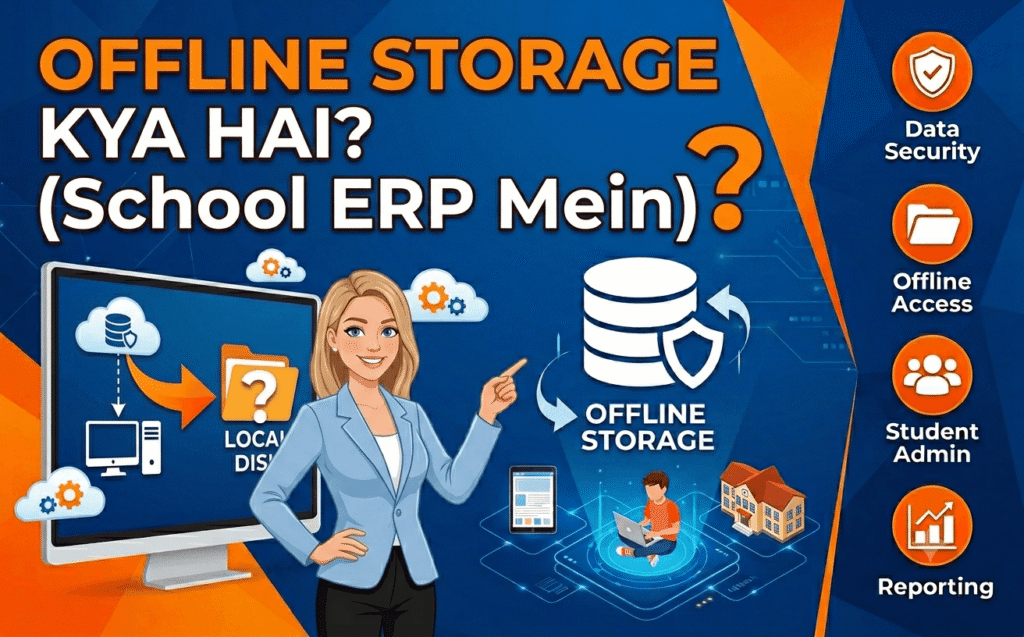
Offline Storage Kya Hai? (School ERP Mein)
Simple definition: Offline storage ka matlab hai ki aapka school ka saara data — students ki details, attendance, fees, exam marks — aapke apne local server ya computer mein store hota hai. Internet ki zaroorat nahi hai.
Offline School ERP Kaise Kaam Karta Hai?
Sochiye aapke school mein ek main computer (server) hai. Saare other computers uss server se local network (LAN) ke through connected hain.
Kaam kaise hota hai:
- Software aapke school ke local server par install hota hai
- Teachers aur staff local network par data entry karte hain (bina internet ke)
- Saara data locally store hota hai
- Jab internet wapas aata hai, toh system automatically cloud par data sync kar deta hai
Offline vs Cloud vs Hybrid — Kya Farq Hai?
| Feature | Offline ERP | Cloud ERP | Hybrid ERP |
|---|---|---|---|
| Internet zaroori? | Nahi | Haan | Nahi (offline mode available) |
| Data kahan store? | Local server/PC | Cloud servers | Local + Cloud dono |
| Kahan se access? | Ek device/network | Kahi se bhi | Dono |
| Real-time updates? | Manual sync | Automatic | Automatic (jab online) |
| Parent communication | Limited | Real-time SMS/app | Real-time (jab online) |
| Maintenance | Local IT | Vendor-managed | Mixed |
| Cost | One-time | Subscription | Mixed |
Hybrid ERP dono ka best combination hai — offline kaam karta hai aur online bhi sync ho jaata hai.
Important Terms Samjhiye
- LAN (Local Area Network) — Aapke school ke andar ka network, bina internet ke bhi computers aapas mein baat kar sakte hain
- Sync (Synchronization) — Jab internet aata hai, toh locally stored data cloud par automatically update ho jaata hai
- On-premise — Software aapke school ke servers par install hota hai, vendor ke server par nahi
- Offline-first — System offline mode ke liye design kiya gaya hai, cloud sync secondary feature hai
Schools Ko Offline Storage Ki Zaroorat Kyun Hai?
Kya aapka school kabhi internet outage se suffer hua hai?
India mein Tier 2 aur Tier 3 cities mein internet connectivity still unreliable hai. Power cuts, router failures, mobile data khatam hona — yeh sab common problems hain.
Rural Aur Remote Schools Ke Liye
Rural areas mein internet connectivity ek major challenge hai. Bangladesh ka IPEMIS platform dekhiye — 130,000 schools, 693,590 teachers, aur 22 million students ko cover karta hai. Yeh system specially offline mobile workflows ke saath design kiya gaya kyunki Bangladesh ke bahut saare rural schools mein reliable internet nahi hai.
Pakistan mein bhi — “over 90 per cent of the province lacks reliable internet”.
Disaster Recovery Aur Business Continuity
Sochiye: Aapka school cloud ERP use kar raha hai. Internet down ho gaya. Kya hoga?
- Attendance nahi le sakte
- Fees process nahi kar sakte
- Exams ke marks enter nahi kar sakte
- Reports generate nahi kar sakte
Offline ERP is problem ko solve karta hai. Prosoft Africa ka system dekhiye — “Even offline, every file is encrypted and backed up locally. Once online, the cloud version stores a second copy for safety”.
Internet Outage Protection — Real-life Scenario
Scenario: Rajkot mein ek school principal ne 5 ERP vendors ko demo ke liye bulaya. Unhone ek simple question poochha: “Show me what happens when the internet goes down”.
Sirf ek vendor ne turant offline mode demonstrate kiya. Ussi ke saath sign kiya.
Moral: Genuine offline capability matters — bohot zyada.
Data Sovereignty Aur Privacy
Aaj kal schools apne students ke sensitive data ko lekar concerned hain. Cloud par data store karne ka matlab hai ki aapka data kisi aur ke server par hai.
Offline/on-premise ERP mein aapke paas data ka full control hai.
Bihar ki “Mera Vidyalaya” scheme dekhiye — ₹13,000 mein school ERP, jo offline accessible hai aur local language interface provide karta hai.
Offline School ERP Ke Important Features
Offline Attendance Tracking
Teachers bina internet ke attendance mark kar sakte hain. Jab internet aata hai, toh attendance automatically sync ho jaati hai.
Real example: ESCHOOL allows teachers to “record absences in just a few clicks — fast, intuitive, and fully functional offline”.
Offline Fee Aur Financial Management
Fees collect karna, invoices issue karna, receipts print karna — sab kuch bina internet ke.
Jab internet aata hai, saare transactions automatically sync ho jaate hain.
Offline Exam Aur Grade Management
Exams conduct karna, marks enter karna, report cards generate karna — sab offline.
Traffictail ke according, best ERPs mein “online/offline examination support” ek key feature hai.
Offline Data Synchronization — Kaise Kaam Karta Hai?
Yeh sabse important feature hai jo competitors miss karte hain.
Process:
- Data locally stored hota hai (encrypted form mein)
- Jab internet available ho, system automatically detect karta hai
- Background mein saara data cloud par sync ho jaata hai
- Kisi manual upload ki zaroorat nahi
Prosoft Africa explains: “No manual upload is needed — everything happens in the background”.
Security Aur Backup Features
Kya offline ERP secure hai?
Haan — agar sahi vendor choose karein toh.
- Encryption: “Even offline, every file is encrypted”
- Dual backup: Local + cloud backup
- User access control: Har user ko specific access rights
- Password protection: Username aur password ke saath admin access
Offline vs Online School ERP — Kaun Sa Better Hai?
Yeh debate chalti rahti hai. Edufy ka kehna hai ki “offline EMS cannot deliver the same level of accuracy, accessibility, or collaboration that an online system provides”.
Lekin — yeh ek cloud ERP vendor ka biased opinion hai.
Sach yeh hai: Dono ke apne pros aur cons hain. Aapki choice aapke school ki specific needs par depend karti hai.
Comparison Table: Offline vs Online vs Hybrid
| Feature | Offline ERP | Online/Cloud ERP | Hybrid ERP |
|---|---|---|---|
| Internet Required | ❌ No | ✅ Yes | ✅ No (offline mode available) |
| Data Storage | Local server/PC | Cloud servers | Local + Cloud |
| Accessibility | One device/network | Anywhere, any device | Both |
| Real-time Updates | Manual sync | Automatic | Automatic when online |
| Parent Communication | Limited | Real-time SMS/app | Real-time when online |
| Maintenance | Local IT required | Vendor-managed | Mixed |
| Data Security | Device-dependent | Encrypted cloud | Dual backup |
| Scalability | Limited | Easy | Moderate |
| Cost | One-time | Subscription | Mixed |
| Best For | Single campus, rural areas, low budget | Multi-campus, urban, high budget | Most schools |
Kya Offline ERP “Enough Nahi” Hai?
Edufy ke according:
- “Offline software stores all data locally on one computer or server”
- “Data sharing becomes slow and error-prone”
- “Communication with parents stops completely while offline”
- “If the computer crashes, the school could lose years of records”
Lekin — yeh poorly designed offline systems ki baatein hain. Achhe offline/hybrid systems mein:
- Multiple users local network par kaam kar sakte hain
- Auto-sync hota hai, manual nahi
- Dual backup hota hai (local + cloud)
- Parent communication online aate hi ho jaati hai
Top School ERPs With Offline Storage (2026)
Yahan top ERPs ki list hai jo offline storage feature provide karte hain:
Sahi Offline School ERP Kaise Choose Karein?
Assessment Checklist
Kya system truly offline kaam karta hai — sirf “view-only” nahi?
Kya teachers bina internet ke attendance, grades, aur class management kar sakte hain?
Sync kaise hota hai — automatic ya manual upload?
System kitne time tak offline function kar sakta hai?
Data encrypted hai — local aur cloud dono jagah?
Backup options kya hain? (Local + Cloud)
Multiple users local network par simultaneously access kar sakte hain?
Offline entered data ka kya hota hai jab internet wapas aata hai?
Training aur local support included hai?
Vendor ke paas live references hain jo aap contact kar sakte hain?
Expert Tips — ERP Consultants Ki Advice
Tip 1: “Internet Down” Question Zaroor Poochhen
“If the answer is ‘everything stops,’ you have a problem. Demand a live demonstration, not a description.”
Tip 2: Live School Dekhen, Demo Nahi
“A system that looks effortless in a demo can be frustrating in daily use. Ask to see a live school using the system right now.”
Tip 3: Limitations Ke Baare Mein Poochhen
“What does your system NOT do well? The vendor who answered it clearly and honestly, with specific examples, got our business.”
Tip 4: Data Portability Verify Karein
“If I want to leave, what does that look like? The ones who answer it confidently are the ones worth trusting.”
Tip 5: Demo Ko Control Karne Na Dein
“Send the vendor a written agenda. Vendors with strong products will welcome the structure.”
Implementation Ke Best Practices
Step-by-Step Implementation Guide
- Needs Assessment — Aapki school ki specific kya requirements hain? Students count? Branches?
- Vendor Shortlisting — Upar di gayi list aur checklist use karein.
- Demo aur Pilot Run — 1-2 months ka pilot run karein with real data.
- Training — Teachers aur staff ko proper training dein.
- Data Migration — Purana data (Excel, registers) naye system mein migrate karein.
- Go-live aur Support — System live karein aur vendor support ensure karein.
Common Mistakes — Inse Bachke Rahein
Mistake 1: “Offline Mode” Ko Full Functionality Samajhna
Bahut saare ERPs “offline mode” offer karte hain but actually sirf view-only hota hai — data entry nahi kar sakte.
Fix: Live demonstration maangein with internet turned off.
Mistake 2: Sirf Price Dekhna
“Cheapest ERP rarely delivers the support and reliability that schools need”.
Fix: Value dekhein, sirf price nahi.
Mistake 3: Data Backup Aur Security Ignore Karna
Fix: Dual backup (local + cloud) wala system choose karein.
Mistake 4: Teachers Ko Selection Mein Shamil Na Karna
Fix: Teachers aur staff ke feedback lo — wahi system use karenge.
Mistake 5: Sync Mechanism Verify Na Karna
Kuch systems manual upload mangte hain, kuch auto-sync karte hain.
Fix: Poochhen: “Does it sync automatically or require manual upload?”
Mistake 6: Parent Communication Tools Na Hona
Fix: Parent communication feature hona chahiye (at least jab online ho).
Mistake 7: Real School Data Ke Saath Test Na Karna
“Demo environments are manicured. They have clean data, no edge cases.”
Fix: Apne real school data ke saath test karein.
Statistics — Offline School ERP Market
Case Studies — Real-World Examples
Case Study 1: IPEMIS — Bangladesh’s National Education Platform
Scale: 130,000 schools, 693,590 teachers, 22 million students
Challenge: Bangladesh ki uneven internet infrastructure — bahut saare rural schools mein reliable connectivity nahi
Solution: DSi ne mobile aur offline functionality develop ki using Android native apps. Teachers aur administrators rural areas mein bina internet ke data input kar sakte hain aur jab connectivity aati hai toh sync ho jaata hai
Outcome: 6+ year ongoing partnership with Government of Bangladesh, UNICEF, and ADB. Platform ne 335,792 consensus submissions process kiye hain
Case Study 2: Prosoft Africa — LAN-Based Offline School Management
Context: African schools face unstable internet connections — cloud-based systems stop working when the network fails
Solution: Hybrid system that works both online and offline — local network installation with automatic cloud synchronization
Key Benefits:
- Continuous operation when internet fails
- Local network speed
- Dual backup — local and cloud protection
- Multi-user access
Case Study 3: “Mera Vidyalaya” — Bihar’s Affordable Offline ERP
Price: ₹13,000 (vs ₹60,000–₹70,000 for competitors)
Differentiators: Simplicity, local language interface, and offline accessibility
Target: Small institutions that cannot afford expensive cloud-based solutions
Expert Insights
Kya Offline EMS “Enough” Hai?
Edufy (cloud ERP vendor) ke according:
“An Education Management Software can technically run offline, but it’s not the ideal way to manage a modern school”
Lekin — real-world evidence alag story batata hai.
CampusOnClick ke according:
“Only one vendor demonstrated an offline mode on the spot. That’s who she signed with”
Prosoft Africa ke according:
“Many African schools face one big challenge — unstable internet connections. Cloud-based systems are helpful, but they stop working when the network fails”
Industry Trends
- Offline-First Design — Systems offline mode ke liye design kiye ja rahe hain
- Hybrid Deployment — LAN installation with automatic cloud sync
- Self-Hosting Resurgence — Schools data control ke liye on-premise choose kar rahe hain
- Mobile Offline Apps — Android/iOS apps with full offline functionality
- Government Backing — IPEMIS (UNICEF/ADB funded), Mera Vidyalaya (Bihar government)
Frequently Asked Questions (FAQ)
Q1: Kya school ERP software bina internet ke kaam kar sakta hai?
Answer: Haan — offline school ERP software local servers ya computers par install hota hai aur bina internet ke fully kaam karta hai.
Q2: Offline storage kya hai school ERP mein?
Answer: Offline storage ka matlab hai ki saara school data (attendance, fees, grades, student records) locally store hota hai — cloud servers par nahi.
Q3: Offline data synchronization kaise kaam karta hai?
Answer: Jab offline ho, data locally store hota hai. Jab internet wapas aata hai, system automatically saare offline entries ko cloud par sync kar deta hai — kisi manual upload ki zaroorat nahi.
Q4: Kya offline school ERP secure hai?
Answer: Haan — achhe offline ERPs mein encryption hoti hai local data ke liye, user access controls hote hain, aur automatic backups hote hain. Kuch dual backup (local + cloud) bhi provide karte hain.
Q5: Kaun se school ERPs offline storage offer karte hain?
Answer: Prosoft Africa, Mitra ERP, Skugal ERP, ESCHOOL, SoftwareLinkers, ShriConnect, aur Mera Vidyalaya — upar comparison table dekhein.
Q6: Offline aur hybrid ERP mein kya farq hai?
Answer: Offline ERP sirf local network par kaam karta hai; hybrid ERP offline kaam karta hai AUR cloud par sync ho jaata hai jab internet available ho.
Q7: Kya teachers bina internet ke attendance mark kar sakte hain?
Answer: Haan — genuine offline ERPs attendance marking, grade entry, aur class management allow karte hain bina internet ke.
Q8: Agar local server crash ho jaye toh data ka kya hoga?
Answer: Achhe offline ERPs mein local backup feature hota hai. Kuch cloud backup bhi provide karte hain as a second layer of protection.
Q9: Offline ERP kitne time tak bina internet ke kaam kar sakta hai?
Answer: Vendor par depend karta hai. Poochhen: “How long can your system function offline before data starts to fail?”
Q10: Kya offline ERP cloud ERP se sasta hai?
Answer: Generally haan — offline ERPs mein one-time licensing fee hoti hai, cloud ERPs mein ongoing subscription.
Q11: Kya offline ERP multiple campuses handle kar sakta hai?
Answer: Limited — scalability issue hai. Multi-campus schools ke liye hybrid solutions better hain.
Q12: Kya offline ERPs parent communication support karte hain?
Answer: Limited — parent communication (SMS, app notifications) ke liye internet zaroori hai. Hybrid models sync karte hain jab online ho.
Q13: Offline ERP ke disadvantages kya hain?
Answer: Limited remote access, no real-time updates, slower collaboration, aur local IT maintenance requirements.
Q14: Kaise pata chale ki ERP truly offline kaam karta hai?
Answer: Live demonstration maangein with internet turned off. Genuine offline ERP should still allow attendance marking, homework entries, aur student data viewing.
Q15: “Offline-first” design kya hai?
Answer: Ek architecture jahan system offline mode ke liye design kiya gaya hai, cloud sync secondary feature hai — unreliable internet wale areas ke liye ideal.
H2: Conclusion — Aapki Next Steps
Offline storage wala school ERP sirf ek “nice-to-have” nahi hai — yeh necessity hai un schools ke liye jinhe reliable internet nahi hai.
Aapko kya karna chahiye:
- Apni requirements assess karein — students count? Branches? Budget?
- Upar di gayi checklist use karein — har vendor ko evaluate karein
- Live demo maangein with internet turned off — sirf 1 vendor ne yeh kiya tha
- Teachers aur staff ko shamil karein — wahi system use karenge
- Vendor references check karein — live school visit karein
- Pilot run karein — 1-2 months with real data
- Training ensure karein — proper training for all users
Final Thoughts
Global Education ERP market 2025 mein $18.9 Billion ka hai aur 2032 tak $51.2 Billion tak pahunchne ka estimate hai. School ERP market 2024 mein $5.2 Billion ka tha aur 2033 tak $13.8 Billion tak grow hone ka forecast hai.
IPEMIS ne 130,000 schools aur 22 million students ko offline-capable platform ke through transform kiya hai.
Mera Vidyalaya ne dikhaya ki ₹13,000 mein bhi offline-capable ERP possible hai.
Sahi ERP choose karna aapke school ki efficiency, data security, aur future growth ke liye critical hai.
Aaj hi apna research shuru karein. Apne school ke liye sahi offline storage wala ERP choose karein.