
Kya aapki school bhi digital banne ke liye soch rahi hai, lekin budget nahi hai?
Ye question har budget private school ke principal aur owner ke mann mein aata hai. Aap akele nahi hain. Data ke mutabik, India mein sirf 34.6% private schools ke paas functional smart classrooms hain (UDISE+ 2023-24 data). Matlab, abhi bhi 65% se zyada private schools digital transformation ke early stages mein hain.
Sach ye hai ki budget private schools (jahan annual fees ₹15,000-₹20,000 hai) India ke 50-70% students ko serve karte hain. In schools ke paas premium schools jaisa bada budget nahi hota.
Lekin aaj ke samay mein parents ko digital infrastructure chahiye, aur NEP 2020 guidelines bhi technology integration ko mandatory bana rahi hain.
Acchi khabar ye hai ki frugal innovation, phased approach, aur government schemes ka sahara lekar, aap apni school ko digitally transform kar sakte hain—bina apne budget par bhari asar dale.
Tech Setup Guide for Budget Private Schools in India
Ye step-by-step guide aapko batayegi ki kaise, kab, aur kitne budget mein aap apne school ko smart school bana sakte hain. Is guide mein hum cover karenge:
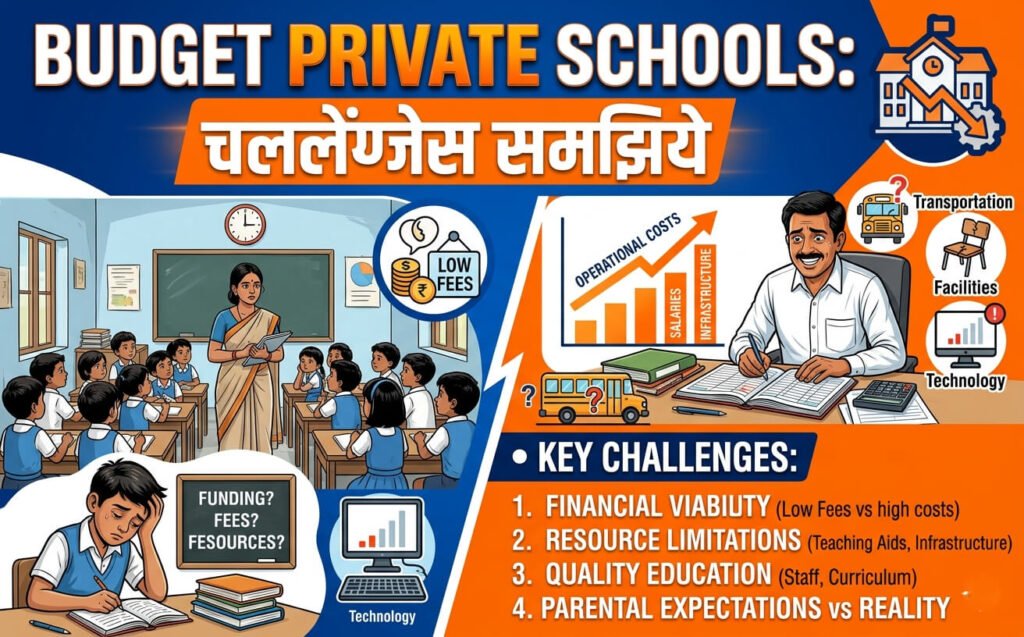
Budget Private Schools: Challenges Samjhiye
Budget Private Schools Kaun Hain?
Budget private schools usually Tier 2, Tier 3 cities mein hain. 300-800 students, 20-40 classrooms. Annual infrastructure budget ₹5 lakh se kam hota hai.
Ye schools low-income aur lower-middle-class families ko serve karte hain. Parents ko English medium aur modern facilities chahiye, lekin fees zyada nahi de sakte.
Teen Sabse Badi Problems
1. Paisa nahi hai
Traditional 10-station computer lab ₹4-5 lakh ka padta hai. Ye budget private school ke liye 2 saal ka infrastructure budget hai.
2. Teachers ready nahi hain
“Hardware khareedna sabse easy part hai. Real challenge hai teachers ko confident banana.”
Teachers ko digital tools ka experience nahi hai. Training ke bina, smart boards “expensive furniture” ban jaate hain.
3. Infrastructure gaps
Bijli, internet, aur physical space ki problems. 46% Indian schools mein reliable internet nahi hai.
Rhetorical Question: Kya aapke school mein bhi ye problems hain? Agar haan, toh ye guide aapke liye hai.
Frugal Innovation: Budget Schools Ka Secret Weapon
Vineet Nayar (Sampark Foundation founder) ne sahi kaha: “Frugality can become India’s unfair advantage.”
Iska matlab: Mehngi technology copy mat karo. Apni constraints ke hisaab se design karo.
Real Example: Sampark Foundation ne $1 per child per year mein digital tools design kiye. Unke Teach-Easy Kits mein board games, audio devices, aur teaching aids hain. Koi Wi-Fi ya bada budget nahi chahiye.
Result: Learning outcomes 30-35% improve hue.
Harvard Business School ne bhi Sampark Foundation ka case study publish kiya hai “Frugal Innovation at Scale” ke naam se.
5 Core Components of a Budget School Tech Setup
1. Hardware: Interactive Flat Panel
Smart classroom ka heart hai interactive panel. Budget schools ke liye 65-inch panels sabse common hain.
| Panel Size | Price Range | Best For |
|---|---|---|
| 65-inch | ₹80,000 – ₹1.20 lakh | Small classrooms (20-30 students) |
| 75-inch | ₹1.30 – ₹1.80 lakh | Medium classrooms (30-40 students) |
| 86-inch | ₹2 lakh+ | Large classrooms, labs |
Pro Tip: 65-inch mid-range boards budget private schools ki sabse popular choice hai. Quality aur price ka best balance.
2. Computing Power: OPS Module
Ye panel ka “brain” hai. Slot-in Mini-PC jo panel ke peeche fit ho jata hai. Without OPS, panel sirf display hai. With OPS, ye full computer ban jata hai.
3. Audio-Visual: Sound, Camera, Lighting
Yahan sabse bada mistake hota hai.
Expert Warning: “Poor classroom audio is a primary driver of student disengagement. Students who cannot hear clearly disengage faster than students with no technology at all.”
Budget mein bhi, audio par compromise mat karein. Dedicated microphone system, HD camera, aur proper lighting — ye sab zaroori hai.
4. Networking & Connectivity
Wi-Fi 6, proper cabling, access points. Internet speed matter karti hai.
Networking mein invest karein. Agar Wi-Fi fail ho jaye, toh digital classroom ka koi fayda nahi.
5. Software & Digital Content
Free options available hain:
- DIKSHA — India’s national digital education platform. 565.28 crore learning sessions complete ho chuke hain. Available in 101 Indian languages.
- PM eVIDYA — Government’s digital education initiative.
- LibreOffice, Scratch, VS Code — Free open-source software for computer labs.
Budget Tiers: 3 Smart Classroom Setup Options (2026)
Tier 1: Entry-Level Setup (₹70,000 – ₹1.2 Lakh per classroom)
55-65″ panel, basic annotation, offline content. Pilot rooms ke liye best.
Includes: Basic interactive panel, simple mic, basic lighting. No LMS, no advanced features.
Best for: Schools starting with 1-2 pilot classrooms.
Tier 2: Core Setup (₹1.2 – ₹1.8 Lakh per classroom)
65-75″ panel, LMS, reporting, teacher device. Most budget schools ka sweet spot.
Includes: Full annotation, HD webcam, OPS module, basic LMS integration.
Best for: K-12 classrooms with 30-40 students.
Tier 3: Advanced Setup (₹1.8 – ₹2.5 Lakh+ per classroom)
75-86″ panel, dual OS, AI-powered camera. Labs aur large halls ke liye.
Includes: Dedicated microphone system, AI-powered camera that follows teacher, dual OS support, advanced reporting.
Cost Comparison Table: 3 Tiers at a Glance
| Feature | Entry (₹70k-1.2L) | Core (₹1.2-1.8L) | Advanced (₹1.8-2.5L+) |
|---|---|---|---|
| Panel Size | 55-65″ | 65-75″ | 75-86″ |
| Annotation | Basic | Full | Full + Dual OS |
| Audio | Basic mic | Webcam mic | Dedicated system |
| Camera | None | HD Webcam | AI-powered PTZ |
| LMS | No | Yes | Yes + Reporting |
| Offline Content | Yes | Yes | Yes |
| Best For | Pilot rooms | K-12 classrooms | Labs, halls |
5-Year Total Cost of Ownership (TCO) Calculator
Important: “Initial purchase price is only 30-40% of the true cost over five years.”
Hidden Costs Schools Miss
| Cost Component | Amount |
|---|---|
| Annual Maintenance (AMC) | 10-15% of panel cost per year |
| Motherboard/power supply failure | ₹15,000 – ₹30,000 per incident |
| Stylus replacements | Frequent (students lose them) |
| Technician travel (Tier 2/3 cities) | Per visit (can be ₹2,000-5,000) |
| Software licensing | Annual (if using paid software) |
| Power backup (UPS/inverter) | ₹15,000 – ₹30,000 per classroom |
Real Scenario: Agar Tier 2/3 city mein panel fail ho jaye, toh technician aane mein days ya weeks lag sakte hain. Is time mein digital curriculum ruk jata hai.
Solution: Choose vendors with strong local service networks. Ask about service response time before buying.
Government Funding: Paise Kahan Se Laayein?
1. Atal Tinkering Lab (ATL) — Sabse Accessible Option
Eligibility:
- Recognized private school
- Classes 6-12 offered
- 1,500 sq. ft. usable space
- Dedicated teacher as ATL in-charge
- Minimum 2 hours per week usage
Funding:
- ₹10 lakh for setup (equipment & infrastructure)
- ₹10 lakh for operational expenses (over 5 years)
- Total: ₹20 lakh
Status: Over 10,000 schools in 35 states have ATLs. 96% ATLs in girls’ or co-education schools.
Application: NITI Aayog portal par apply karein.
2. PM SHRI Scheme
PM SHRI is transforming 14,500+ schools into model institutions. Includes smart classrooms, digital libraries, vocational labs.
Eligibility: Government and government-aided schools primarily. Private schools can apply in some states.
3. Samagra Shiksha ICT
ICT labs + Smart Classrooms for classes VI-XII.
Grant: ₹2.40 lakh non-recurring for 2 smart classrooms; ₹0.38 lakh recurring.
Eligibility: Government and government-aided schools.
4. CSR Funding
Local businesses aur corporates se partnership. Many companies have education CSR priorities.
How to apply:
- Identify local companies with CSR programs
- Prepare a proposal with clear impact metrics
- Showcase how funding will benefit community students
Computer Lab on a Budget: ₹3 Lakh for 10 Stations
Traditional Cost Problem
Budget private schools often need a computer lab for CBSE’s digital skills component. But 10 branded desktops cost ₹4-5 lakh.
Budget Solution
APNA PC Model:
- Intel Core i3 7th Gen
- 8GB RAM
- 128GB SSD
- Monitor, keyboard, mouse, webcam, headset included
- Preloaded with Zorin OS/Windows, LibreOffice, Scratch, VS Code, Blender
Cost: ₹30,000 per station
10 stations = ₹3,00,000
Savings: ₹1-2 lakh compared to branded desktops.
Real Example: Principal Sharma from Madhya Pradesh needed a computer lab. He got a ₹1.5 lakh quote for 10 computers against his ₹2 lakh annual infrastructure budget. The ₹30,000 per station solution made it possible.
Teacher Training: Success vs Failure Ka Difference
Expert Opinion: “Teacher training determines whether digital classroom investment delivers results.”
What Effective Training Looks Like
- Hands-on training with LMS (Moodle, Google Classroom)
- Developing digital teaching aids
- Ongoing support (not one-time demo)
- Peer-to-peer learning models
Low-Cost Training Options
| Option | Cost | Notes |
|---|---|---|
| Government programs | Free | Samagra Shiksha, SCERT |
| Vendor-provided training | Bundled | Usually 1-2 days |
| Peer observation | Free | Teachers learn from each other |
| Free online courses | Free | SWAYAM, NPTEL |
| Certificate courses | ₹15,000-50,000 | Private institutes |
Training Na Karne Ka Cost
“If teachers do not receive practical and continuous training, premium interactive panels will just sit unused.”
Schools that invest in training see 3x higher technology adoption rates.
Real Scenario: A school bought 5 interactive panels worth ₹7.5 lakh. Teachers used them only as projectors for 6 months. After 2 days of proper training, usage increased 4x.
Phased Rollout: 24-Month Roadmap
Year 1: Pilot Phase (₹1.5-2 lakh)
What to do:
- Select 1-2 classrooms for pilot
- Define learning goals and target classes
- Choose Entry or Core tier
- Train teachers in short cycles (2-3 hour sessions)
- Launch with 3 routines: open lesson, quick activity, exit check
Why start small: Learn what works, build confidence, create internal champions.
Year 2: Expansion Phase (₹3-5 lakh)
What to do:
- Review usage and outcomes monthly
- Add 2-3 more classrooms
- Integrate LMS with reporting
- Start computer lab setup (if not done)
Budget: ₹3-5 lakh
Years 3-4: Scaling Phase (₹5-10 lakh+)
What to do:
- Expand to all classrooms
- Full LMS integration
- Parent communication platform
- Advanced features (recorded lectures, analytics)
Budget: ₹5-10 lakh+
Offline-First Strategies (Jab Internet Na Ho)
Reality: 46% Indian schools mein reliable internet nahi hai.
Solutions
- Store content locally — Load lessons on the panel’s internal storage
- Load lessons in advance — Download videos, presentations before class
- Device-to-device sharing — Share content without Wi-Fi using local network
- DIKSHA Offline — Platform supports offline access for low-connectivity areas
Real Example: Some schools run modern digital classrooms on solar power! They store content locally and teach without any internet connection.
Lesson: Plan for offline. Don’t assume internet will always work.
Common Mistakes to Avoid
| Mistake | Consequence | Solution |
|---|---|---|
| Wrong board size | Poor visibility; wasted investment | Measure classroom; 65″ for small, 75″ for medium |
| Poor lighting | Eye strain; poor video quality | Install proper lighting before panel |
| Low-quality audio | Student disengagement | Invest in dedicated mic system |
| No teacher training | Hardware becomes “expensive furniture” | Budget 10-15% for training |
| Cheap installation | Frequent breakdowns | Choose certified installers |
| Ignoring TCO | Budget shock from maintenance | Calculate 5-year TCO upfront |
| Skipping network audit | Wi-Fi failure mid-lesson | Conduct infrastructure audit first |
| Buying proprietary systems | Limited flexibility | Choose open ecosystems |
Expert Tips for Budget School Tech Success
Tip 1: Start with “Why”
Every technology investment should begin with a clear academic purpose. Ask: “What will this enable in my classroom that we couldn’t do before?”
Tip 2: Don’t Mimic Premium Schools
“Frugality can become India’s unfair advantage. You survive and thrive by designing tools that reflect your constraints, not pretend they don’t exist.”
Tip 3: Choose Open Ecosystems
Avoid proprietary systems that limit flexibility. Choose panels compatible with Google Workspace and Microsoft 365.
Tip 4: Secure the Ecosystem
Implement Mobile Device Management (MDM) for student safety. Consider network security (firewalls) to protect student data.
Tip 5: Measure Usage and Outcomes
Review usage and outcomes monthly. Track: student engagement, teacher adoption, learning outcomes.
Real-World Case Studies
Case Study 1: Sampark Foundation (Multiple Schools)
Context: Rural schools with no Wi-Fi, limited budgets
Approach: Designed high-impact, low-cost digital tools — Teach-Easy Kits (board games + audio devices + teaching aids)
No Wi-Fi or large budgets required
Result: Learning improvements of 30-35%
Recognition: Harvard Business School published a case study “Frugal Innovation at Scale”
Takeaway: Frugal innovation can deliver better results than expensive hardware.
Case Study 2: The Primrose Academy, Pune
Context: Low-fee private school in Katraj, Pune
Students: 35-45 per class, low-income families
Challenge: Online classes during pandemic via Zoom
Support: Teach For India fellows intervening since 2010
Result: 100% attendance for in-person lessons
Takeaway: Even low-fee schools can implement digital learning with the right support structure and partnerships.
Case Study 3: Smart Classroom Initiative Impact Study
Finding: Schools with modern digital infrastructure saw 22% rise in student enrolment
Reason: Parents actively seek schools with modern facilities
Takeaway: Digital classrooms attract parents and students. The investment pays back through admissions.
ROI: Budget Schools Ko Kya Milega?
Direct Returns
| Investment | Return |
|---|---|
| ₹90,000 – ₹1.9L per board | 5-7 years of usage |
| One-time training | Time saved by all teachers weekly |
| Integrated software | Reduces third-party teaching tool costs |
| Recorded lectures | Extra coaching & content reuse |
| Better teaching outcomes | Improved retention, attention, performance |
Payback Period
Typically 18-24 months.
Learning Impact (Research Evidence)
- Brookings Institution (2023): Technology alone does not improve learning outcomes unless paired with engagement tools
- Smartboard-based teaching: Improved long-term knowledge retention, engagement, and attention compared with PowerPoint
- AI-driven classrooms: 18% increase in curriculum completion, 25% rise in classroom participation
Three Lenses of ROI (GrowthJockey Framework)
- Engagement: Does technology capture and sustain learner interest?
- Efficiency: Does it reduce administrative workload and free teachers for mentoring?
- Evidence: Does it improve student scores, concept retention, attendance, and parent feedback?
The Digital Classroom Checklist
Pre-Procurement Checklist
- Assess current infrastructure (power, internet, room size)
- Define learning goals and target classes
- Get teacher buy-in and identify champions
- Research government schemes (ATL, PM SHRI, CSR)
- Calculate 5-year TCO budget
- Get 3+ vendor quotes
Procurement Checklist
- Choose hardware tier (Entry/Core/Advanced)
- Select panel size (65″/75″/86″)
- Verify audio system quality
- Check warranty (minimum 3 years)
- Plan installation with certified team
- Verify service network in your city
Implementation Checklist
- Train teachers in short cycles
- Launch pilot classroom
- Establish 3 routines: open lesson, quick activity, exit check
- Review usage and outcomes monthly
- Plan phased expansion
Maintenance Checklist
- Annual Maintenance Contract (10-15% of cost)
- Regular cleaning of displays
- Software updates
- Cable and connection checks
Frequently Asked Questions (FAQs)
Q1: Minimum budget kitna chahiye start karne ke liye?
Answer: Pilot classroom ke liye ₹70,000 – ₹1.2 lakh enough hai. Computer lab ke liye ₹3 lakh for 10 stations.
Q2: Kya digital classroom without internet chal sakta hai?
Answer: Haan. Content locally store karo, advance mein load karo, device-to-device sharing use karo. DIKSHA Offline bhi available hai.
Q3: Kaunsa panel size lu?
Answer: 65″ for small rooms (20-30 students), 75″ for medium (30-40 students), 86″+ for large classrooms and labs.
Q4: Annual maintenance kitna cost karta hai?
Answer: 10-15% of original panel price per year. Example: ₹1 lakh panel = ₹10,000-15,000 annual maintenance.
Q5: Kya private schools ATL funding ke liye eligible hain?
Answer: Haan. Recognized private schools with classes 6-12 and 1,500 sq. ft. space apply kar sakte hain. ₹20 lakh funding available.
Q6: Digital classroom setup mein kitna time lagta hai?
Answer: Installation: 1-2 days. Full teacher training and adoption: 3-6 months.
Q7: Payback period kya hai?
Answer: Typically 18-24 months.
Q8: Kya existing setup ko upgrade kar sakte hain?
Answer: Haan. Entry-level setups fully upgradable hain. Add features like LMS, better audio, or AI camera later.
Q9: Kaunsa software free available hai?
Answer: DIKSHA, PM eVIDYA, LibreOffice, Scratch, VS Code, Zorin OS — sab free hain.
Q10: Teachers ko kaise train karein bina zyada kharch ke?
Answer: Government programs (Samagra Shiksha, SCERT), vendor-provided training, peer mentoring, free online courses (SWAYAM, NPTEL).
Q11: Agar kuch toot jaye toh?
Answer: AMC use karo. Tier 2/3 cities ke liye strong local service network wale vendors choose karo.
Q12: Kya isse admissions badhenge?
Answer: Haan. Schools with smart infrastructure saw 22% rise in enrolment. Parents actively seek modern facilities.
Q13: Smart classroom aur digital classroom mein kya difference hai?
Answer: Smart classroom sirf slides dikhata hai. Modern digital classroom mein interactive displays, AI lesson planning, cloud storage, real-time analytics hain.
Q14: Kya digital classrooms multilingual learning support karte hain?
Answer: Haan. DIKSHA 101 Indian languages mein available hai. Modern panels can switch languages instantly.
Q15: Kya ye guide 2026 aur future ke liye relevant hai?
Answer: Haan. Sab data, prices, schemes 2026 ke hisaab se updated hain. Frugal innovation approach sustainable aur future-proof hai.
Conclusion: Ab Action Ka Time Hai
Budget private schools ke liye digital transformation possible hai, affordable hai, aur necessary hai.
3 Action Steps Aaj Se Start Karein
1. Apni school ka audit karein
Power backup, internet speed, room size, teacher readiness — sab check karein. Identify gaps before buying anything.
2. Government schemes research karein
ATL, PM SHRI, CSR funding — apply karein. ₹20 lakh available through ATL alone.
3. Pilot classroom start karein
1 classroom se shuru karein, seekhein, phir scale karein. Don’t try to digitize everything at once.
Yaad Rakhein
“Frugality can become India’s unfair advantage.”
Aapko premium schools ki copy nahi karni. Apni constraints ke hisaab se design karo, aur results lao.
Parents ko digital infrastructure chahiye. NEP 2020 technology ko mandatory bana raha hai. Competition badh raha hai.
Ab wait mat karein. Aaj hi plan banayein. Kal se implement karein.